This Performance Visualizer shows a breakdown of total profit
or loss in multi-symbol backtests:
- On a per instrument basis (default)
- By entry signal name
- By exit signal name
- By calendar month
- By average % P/L per bar
- By position type (long/short)
To switch views, choose from the "Group by" dropdown box:
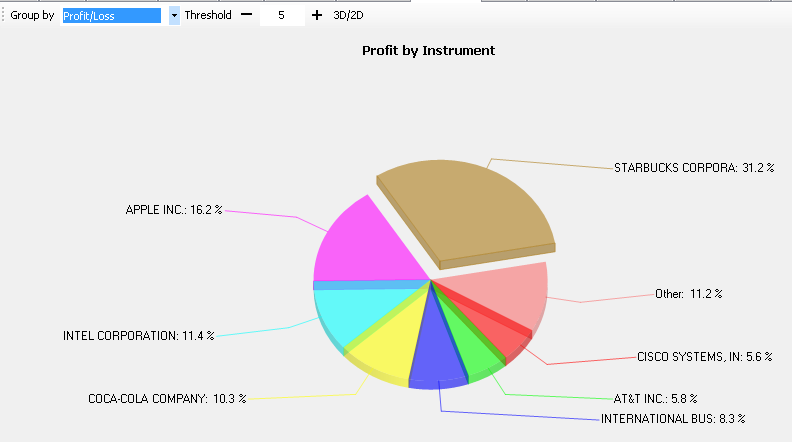 Contribution |
Chart title will display "profit"/"loss" depending on portfolio outcome.
Largest winner/loser is highlighted by displacing its segment. If the number of portfolio winners/losers exceeds a certain threshold, those symbols that fall off "Top-N" will get their results summed and grouped into a separate segment called "Other". To avoid clutter when testing large portfolios, the threshold is made configurable interactively on the visualizer's menu bar.
Notes
- To benefit from grouping by entry/exit name, your Strategy must assign meaningful entry and/or exit signals.
- If security name is available, it will be displayed in the symbol's legend, otherwise symbol name will be shown.
- The chart has a 3D look by default, and can be switched to 2D view by clicking the "3D>2D" button.
- Tooltips display symbol name and profit/loss.